We are living in a fast-moving world and every day we need to solve tens or even
hundreds of tasks. That is why call recording becomes a necessity: both for students,
who want to remember homework or to entrepreneurs, who are discussing important
matters with their partners. With the help of our Call Recorder, you can keep track of
all the calls you make and to get back to the necessary information at any time.
Call Recorder is a convenient, secure and fast voice recorder that allows you to
record both incoming and outgoing calls without any limits and restrictions. You can
record calls and save them easily simply by making a few clicks! Our Call Recorder is
available worldwide and supports your Caller ID.
So what makes us different from the rest? We have simplified the process and now you
can use your phone number as the caller ID, calling anyone across the world! You can
keep track of both incoming and outgoing calls, so even the smallest part of
information won’t be missed.
How does it work? Our Call Recorder creates a three-way call between you, the person
you are talking to and our app. When you want to record a certain call, you just need
to open our Call Recorder and press ‘record’. The application will reach our access
number and will start recording at once. This means that by creating a sort of
conference call you can record any conversation you want.
Moreover, to simplify the process, you can opt for recording all the calls. Just
imagine: you don’t need to remember important information or to worry that you will
miss any detail out! You can relax and enjoy the conversation knowing that later you
can get back to it.
Our Call Recorder allows you to fixate important conversations, analyze your own words
to fix possible mistakes (for example during a phone interview) and to play a
conversation with beloved ones over and over again. Isn’t it a dream coming true?
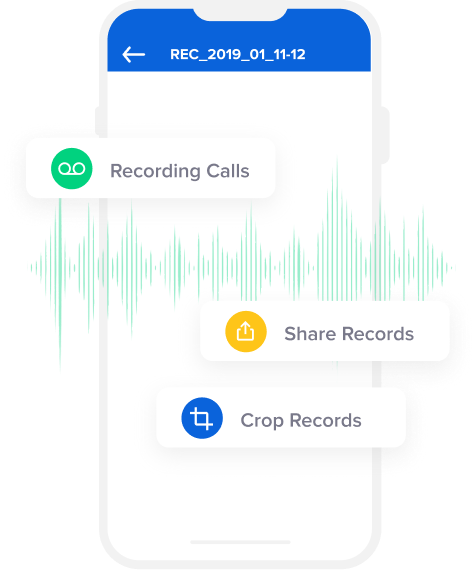
Call Recorder is an app, which offers you everything for recording calls and managing
recordings in the future:
- Convenient recording of outgoing calls simply by making a few clicks;
-
Opening the recording once the conversation is over. Thus you can make quick notes
to be ready for a meeting or another call;
-
Share recordings through email, AirDrop or iMessage. This allows you not only to
share important moments with the people you love but also to save time retelling a
particular conversation. Moreover, it is convenient in terms of safety, when you
feel that your interlocutor doesn’t have good intentions;
-
You can also export any recording to other applications and devices. No need to
worry that any data will be lost!
- You can store as many recordings as you want, without any space limitations!
There may be many Call Recorders out there but you will hardly find the one, which
would be as good as ours. We give our users unlimited freedom and complete protection.
When you are recording conversations through our app you can be sure that all the
information is safely stored and no one else will have access to it.









What Do Our Customers Say